Table of Contents
7 Must-Have N8N Automations
for B2B Marketers
Free downloadable workflows for lead generation, CRM sync, and automated reporting. The Zapier alternative that saves B2B teams $1,000+/year.
Summarized for you
Marketing automation without code means using visual workflow builders like N8N to automate repetitive marketing tasks—without writing any programming. B2B marketers can set up lead scoring, CRM syncing, and email triggers using drag-and-drop interfaces, saving 10-20 hours per week on manual tasks while reducing tool costs by 70-90% compared to Zapier or HubSpot workflows.
This guide covers the 7 essential N8N workflows every B2B marketing team needs: lead enrichment, CRM sync, email sequences, team notifications, LinkedIn automation, report generation, and lead routing. Each workflow includes a downloadable JSON template you can import directly into your N8N instance.
Why B2B Marketers Are Switching from Zapier to N8N
Most GTM teams are manually doing work that should have been automated years ago. They're copy-pasting leads between tools, sending follow-ups from memory, and losing deals because their systems don't talk to each other. Meanwhile, their competitors are running lean operations that scale without adding headcount.
The problem isn't lack of tools—it's that traditional automation platforms like Zapier charge per-task pricing that becomes unsustainable at scale. A B2B team running 10,000 automations monthly pays $600+/month on Zapier. The same workflows on N8N? $20-50/month on cloud, or free if self-hosted.
Cost Comparison: N8N vs Zapier vs Make.com
| Platform | 1,000 tasks/mo | 10,000 tasks/mo | 50,000 tasks/mo | Self-Host Option |
|---|---|---|---|---|
| Zapier | $69/mo | $299/mo | $599/mo | ❌ No |
| Make.com | $9/mo | $29/mo | $99/mo | ❌ No |
| N8N Cloud | $20/mo | $50/mo | $50/mo | ✅ Yes |
| N8N Self-Hosted | Free | Free | Free | ✅ Unlimited |
*Pricing as of December 2025. Server costs for self-hosting typically $5-20/month on DigitalOcean or Railway.
☁️ N8N Cloud - Best for:
- Teams without DevOps resources
- Quick setup (<5 minutes)
- Managed updates and security
- SOC2 compliance needed
🖥️ Self-Hosted - Best for:
- High-volume operations (50K+ tasks)
- Data sovereignty requirements
- Teams with basic Docker knowledge
- Maximum cost savings
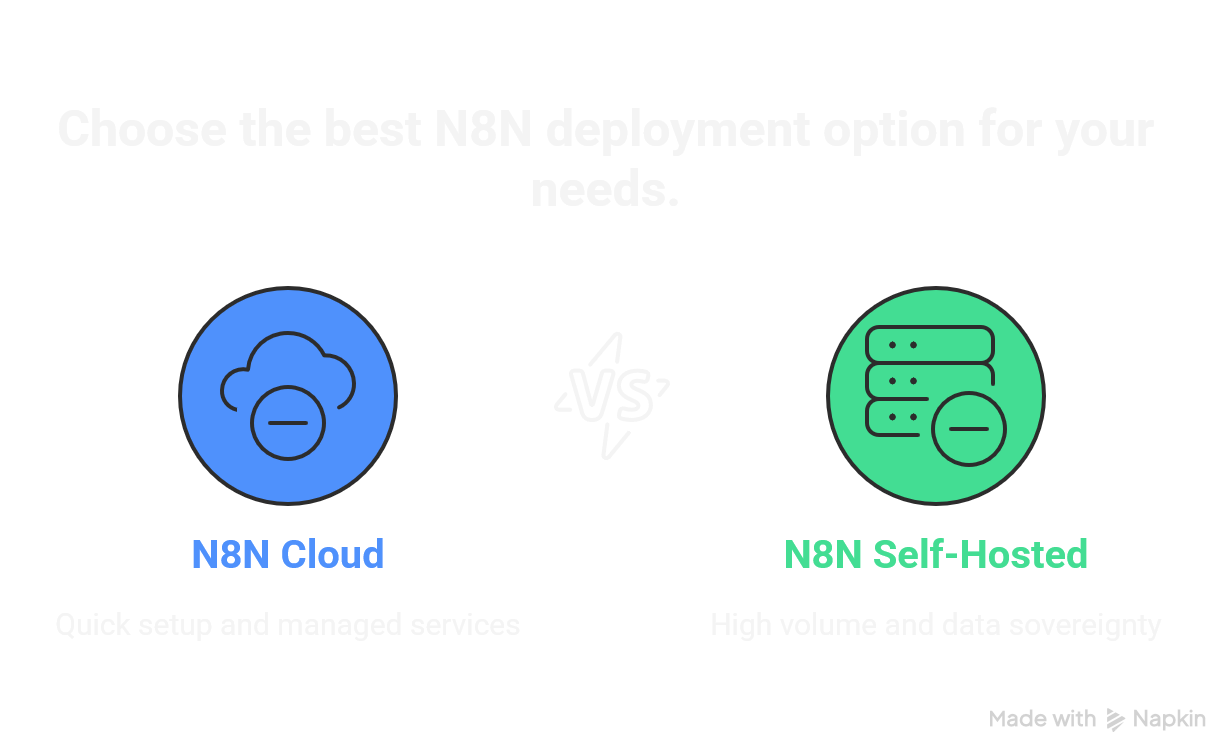
N8N Cloud vs Self-Hosted comparison for B2B marketing teams
The 7 Essential N8N Workflows for B2B Marketing
Each workflow below solves a specific problem that B2B marketing teams face daily. They're designed to work independently or together as a connected system.
Lead Enrichment & Scoring Automation
The Problem:
New leads come in with just an email address. Your sales team wastes hours researching company size, industry, tech stack, and contact details before knowing if a lead is even worth pursuing.
The Solution:
This workflow automatically enriches every new lead with company data from Hunter.io, Clearbit, or Apollo. It calculates a lead score based on your ICP criteria and routes high-value leads directly to sales while low-score leads go into nurture sequences.
Trigger: New form submission / CRM contact created
Actions: Hunter.io lookup → Company enrichment → Score calculation → Route to Slack/CRM
Time Saved: 15-20 hours/week for SDR teams
GTM Impact:
Companies that respond within 5 minutes are 21x more likely to qualify leads. This workflow eliminates the enrichment delay, giving your team instant context on every lead. One client reduced their lead response time from 4 hours to 12 minutes after implementation.
CRM Data Sync (HubSpot/Salesforce)
The Problem:
Your marketing tools, CRM, and sales platforms have different versions of the same contact. Updates in one system don't reflect in others. Sales calls leads who've already converted. Marketing emails people who've churned.
The Solution:
Bidirectional sync between HubSpot/Salesforce and your other tools. When a deal stage changes in your CRM, it updates everywhere. When a contact fills out a form, it creates or updates the CRM record with full activity history.
Trigger: CRM webhook (deal update, contact change, activity logged)
Actions: Dedupe check → Field mapping → Update target systems → Log sync
Integrations: HubSpot, Salesforce, Pipedrive, Airtable, Google Sheets
GTM Impact:
Eliminate manual CRM updates and ensure your sales team spends time selling, not data entry. Teams report 6 hours per week saved per rep after implementing bidirectional sync workflows.
Email Sequence Triggers
The Problem:
Your email tool (Mailchimp, ActiveCampaign, Lemlist) operates in a silo. Leads take actions across your site and product but email sequences don't adapt. Someone views pricing 5 times but still gets top-of-funnel content.
The Solution:
Event-driven email triggers that respond to behavior across all systems. High-intent website visits, product usage milestones, or CRM stage changes automatically trigger the right email sequence.
Trigger: Webhook from website/product/CRM (page view, event, stage change)
Actions: Evaluate rules → Tag/untag contact → Trigger sequence or move between sequences
Integrations: Mailchimp, ActiveCampaign, Lemlist, ConvertKit, Customer.io
GTM Impact:
Behavior-triggered emails have 3x higher open rates than batch sends. This workflow lets you build sophisticated drip campaigns that adapt in real-time without paying for expensive marketing automation platforms.
Slack/Teams Notification Workflows
The Problem:
Important events happen across your tools but the team doesn't know until it's too late. A high-value lead fills out a form on Friday night—no one sees it until Monday. A deal moves to "Negotiation" but the AE finds out 3 days later.
The Solution:
Smart notifications that alert the right people at the right time. Not notification spam—intelligent routing based on lead score, deal value, urgency, and team responsibilities.
Trigger: New high-score lead, deal stage change, customer support escalation
Actions: Enrich context → Format message → Route to correct channel/person → Create follow-up task
Channels: #sales-alerts, #marketing-wins, DMs to assigned reps
GTM Impact:
Information flows to the right people at the right time—no more missed opportunities due to communication gaps. Teams using intelligent notifications report 40% faster response times on high-priority leads.
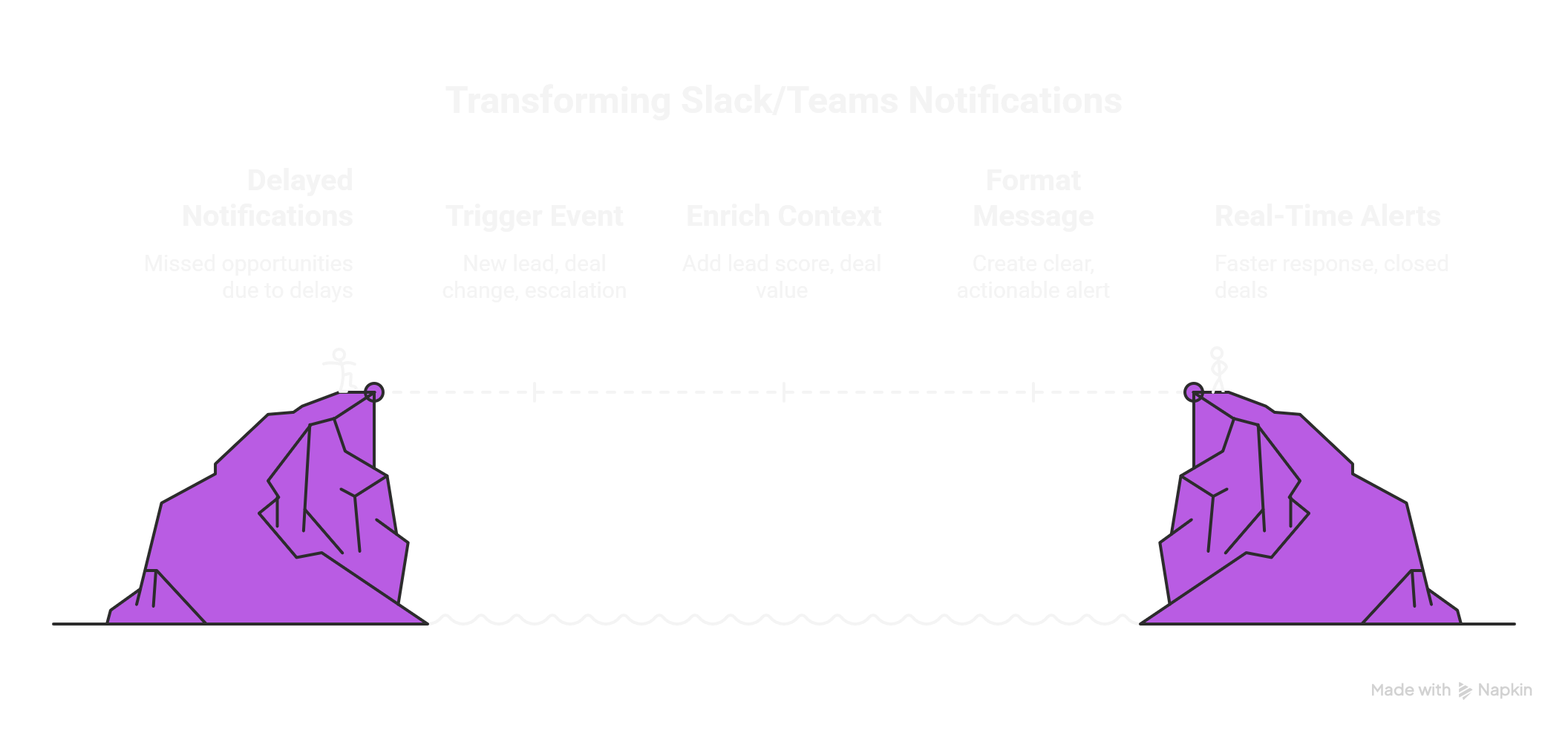
Automated Slack/Teams notifications workflow in N8N
LinkedIn Outreach Automation
The Problem:
LinkedIn is the #1 B2B lead source but manual prospecting is a time sink. Your SDRs spend hours sending connection requests, following up, and logging activities—instead of having conversations.
The Solution:
N8N orchestrates your LinkedIn tools (Phantombuster, Dripify, or native API) to automate connection requests, profile visits, and follow-up messages while logging all activity to your CRM.
Trigger: New prospect added to campaign / scheduled daily execution
Actions: Profile visit → Connection request → Message sequence → Log to CRM → Slack alert on reply
Integrations: Phantombuster, LinkedIn API, Airtable, HubSpot
GTM Impact:
LinkedIn is where your buyers live. These workflows let you prospect at scale without living in the platform. Teams report 5x more LinkedIn conversations with 50% less time spent in the app.
Marketing Report Generation
The Problem:
Every week you spend hours pulling data from Google Analytics, ad platforms, CRM, and email tools to build the same reports. By the time they're done, the data is already stale.
The Solution:
Automated report generation that pulls data from all sources, calculates key metrics, and delivers formatted reports to Slack, email, or Google Sheets on a schedule.
Trigger: Scheduled (daily/weekly) or on-demand via Slack command
Actions: Pull GA4 data → Pull ad platform metrics → Pull CRM stats → Calculate KPIs → Format report → Deliver
Outputs: Slack message, Google Sheets, email with PDF attachment
GTM Impact:
Automated reporting frees analysts for strategic work instead of data wrangling. One marketing ops manager reported saving 8 hours every Monday after implementing automated weekly reports.
Lead Routing & Assignment
The Problem:
Leads sit unassigned. Round-robin doesn't account for rep capacity, territory, or deal complexity. Enterprise leads go to junior reps. SMB leads clog up your top closer's pipeline.
The Solution:
Intelligent lead routing based on company size, industry, geography, lead score, and rep availability. Enterprise leads route to enterprise reps. Leads in EMEA route to EMEA team. High-score leads skip the queue.
Trigger: New lead created in CRM / form submission
Actions: Evaluate routing rules → Check rep availability → Assign owner → Create task → Notify rep
Logic: Territory, company size, lead score, round-robin within segments
GTM Impact:
Proper lead routing increases conversion rates by 15-20% because the right rep handles the right lead from the start. Standardized lead intake also means better pipeline hygiene and more accurate forecasting.
How to Import & Customize These Workflows
Step-by-Step Import Guide
- 1
Download the JSON file
Fill out the form below to receive all 7 workflow templates as JSON files
- 2
Open your N8N instance
Cloud: app.n8n.cloud | Self-hosted: your-domain.com
- 3
Import the workflow
Click the menu icon (☰) → Import from File → Select your JSON file
- 4
Configure your credentials
Click each node with a ⚠️ warning and add your API credentials
- 5
Test with sample data
Click "Execute Workflow" with test data before going live
- ✓
Activate and monitor
Toggle the workflow to "Active" and check executions for errors
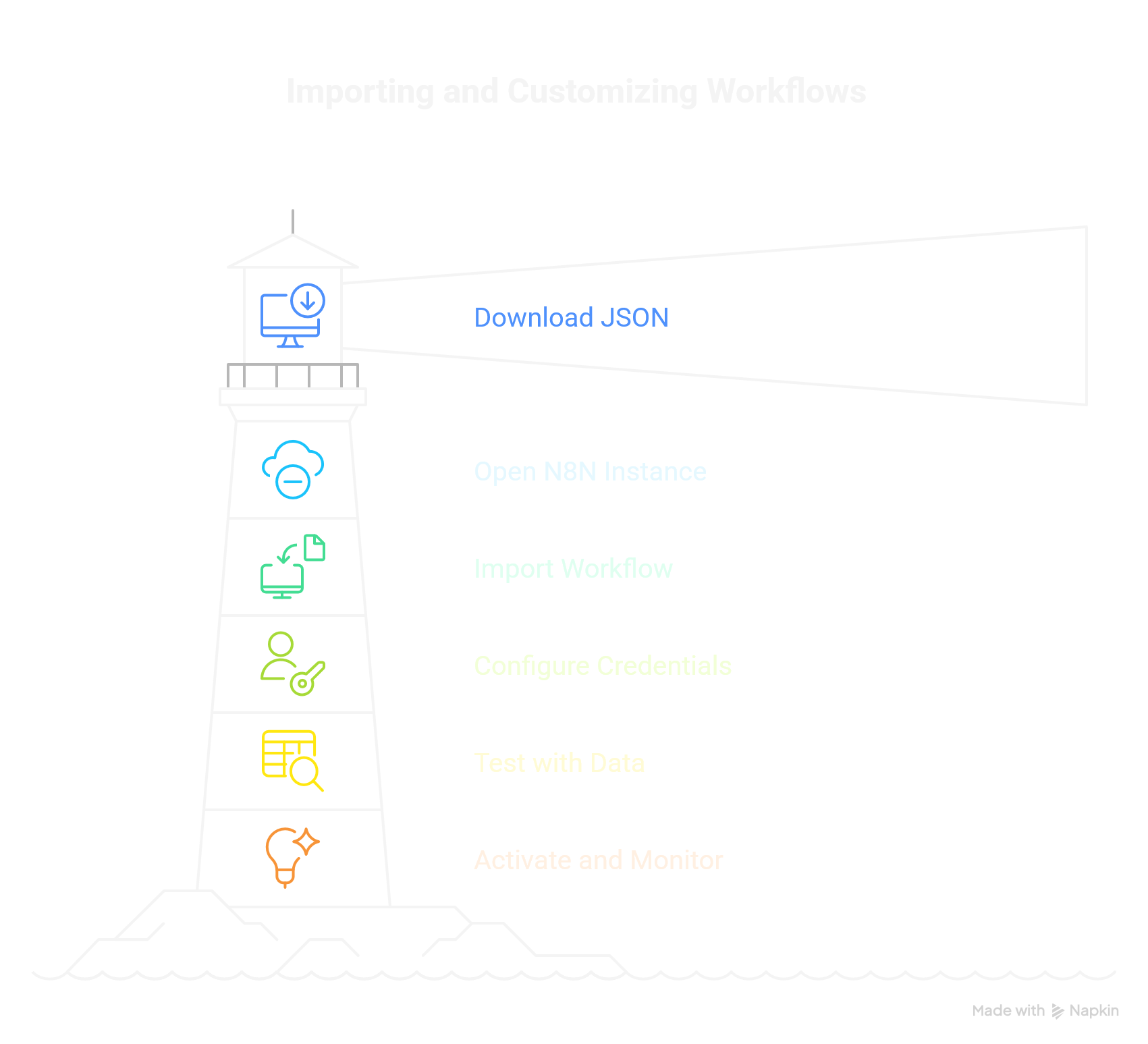
Visual guide: Import and customize N8N workflows in minutes
⚡ Common Customizations
- • Lead scoring thresholds: Adjust the score values in the IF nodes to match your qualification criteria
- • Slack channels: Update channel names to match your workspace structure
- • CRM field mappings: Map your custom fields in the Set nodes
- • Timing: Adjust delays and schedules in the Cron/Wait nodes
FAQ: N8N for B2B Marketing
Is N8N free for commercial use?
Yes. N8N offers a fair-code license that allows commercial use. Self-hosted N8N is free with unlimited workflows and executions. N8N Cloud starts at $20/month for small teams, scaling based on workflow executions. For most B2B marketing teams, you'll stay under $50/month even with heavy usage.
What is better than N8N?
It depends on your needs. Zapier is better for non-technical users who need simple automations and don't mind paying premium prices. Make.com offers more visual appeal and is cheaper than Zapier. But N8N wins for complex workflows, self-hosting capabilities, and cost at scale—especially for B2B marketing teams running 10,000+ automations monthly.
How much does marketing automation cost?
Traditional tools like HubSpot Marketing Hub cost $800-3,600/month. Zapier costs $69-599/month depending on task volume. Make.com is $9-99/month. N8N self-hosted is free (plus ~$10/month server costs); N8N Cloud costs $20-50/month for most B2B teams. The workflows in this guide can replace $1,000+/year in Zapier costs.
Can I use N8N with HubSpot?
Absolutely. N8N has native HubSpot integration for contacts, deals, companies, and custom objects. You can trigger workflows on HubSpot events, sync data bidirectionally, and build automations that HubSpot's native workflows can't handle—like multi-system orchestration across HubSpot, Slack, Google Sheets, and email tools simultaneously.
How long does it take to set up these workflows?
With the JSON templates, import takes 2 minutes. Configuring credentials typically takes 15-30 minutes per workflow (you need API keys from your connected services). Testing and customization adds another 30-60 minutes. Most teams have all 7 workflows running within a day.
Download All 7 N8N Workflow Templates
Get the complete JSON files for every workflow in this guide. Import them directly into your N8N instance and start automating your B2B marketing today.
No spam. Unsubscribe anytime. Your email is used only to deliver the templates.
People also read
The GTM Stack for Outbound: Foundation & Research Tools (Part 1)
Build a complete go-to-market stack starting with the essential foundation tools for intent data, contact enrichment, and email verification.
The GTM Stack for Outbound: Intent & Social Tools (Part 2)
Layer in LinkedIn automation and additional intent signals to build a multi-channel outbound motion that drives real results.
The GTM Stack for Outbound: List Building & Automation (Part 3)
Complete your GTM stack with comprehensive list building and automation tools for scaling outbound efficiently.
Published: December 2025 | Reading time: 12 minutes
Last updated: December 10, 2025